
.svg)






%201.png)
Ready to future-proof your online business? The race to design shopify site experiences that truly shine is on, especially as we look ahead to 2026’s fast-changing eCommerce world.
In this guide, you’ll discover a clear, step-by-step plan to build a Shopify store that not only stands out but also converts. We’ll explore everything you need to know, from branding basics and picking the right theme, to the latest in UX/UI design, AI-driven personalisation, sales optimisation, and advanced Shopify features.
Let’s make your store future-ready together. Dive in and unlock the tools and strategies you need for eCommerce success.
Establishing Your Shopify Brand Identity
Creating a strong brand identity is the foundation for any successful attempt to design shopify site. In today’s crowded eCommerce world, a memorable and consistent brand makes your shop instantly recognisable and builds trust with every visitor.
Let’s look at how to define your brand style and ensure it shines through every touchpoint of your Shopify store.

Defining Brand Guidelines and Visual Identity
A well-crafted brand style guide is essential when you design shopify site, as it ensures your business is instantly recognisable and credible. Consistency in branding builds trust, which translates into more loyal customers and higher sales.
Start by selecting typography that reflects your brand personality. Premium fonts like Basic Commercial bring clarity and sophistication, as seen in The Row’s elegant online presence. Next, choose a colour palette that supports both legibility and emotion. High-contrast colours not only make your content accessible but also help users quickly connect with your brand story.
Design a memorable logo that captures your essence. Whether you work with a designer or use an online logo maker, a distinctive logo is key for standing out. Remember, your visual identity should be present on your website, emails, and social media, creating a unified experience everywhere your audience interacts with you.
According to Shopify, brands with consistent presentation see an average revenue boost of 23 percent, so investing in your brand guidelines pays off. For businesses seeking expert support, agencies offering Shopify Web Design Expertise can help turn your vision into a cohesive digital reality.
Incorporating Brand Elements Across Your Store
Once your visual identity is defined, it’s time to weave those elements throughout your Shopify store. In the Shopify admin, upload your logo and brand colours so these automatically appear across your site, making it easy to design shopify site with consistency.
Customise your checkout, notifications, and transactional emails to echo your branding. Every message a customer receives should feel like it’s coming from your unique shop. Use lifestyle and product photography to tell your story visually. For example, Klur’s neutral, organic images create a sense of calm and authenticity, building trust with shoppers.
Make sure your brand voice is present in every piece of content, from detailed product descriptions to helpful FAQs. This consistency reassures visitors they’re in the right place and encourages them to return. By reinforcing your brand at every step, you make your design shopify site not just look professional but feel inviting and trustworthy.
Choosing and Customising the Perfect Shopify Theme
Selecting the right theme is a cornerstone when you design shopify site that looks modern, feels intuitive, and delivers results. With the eCommerce landscape evolving rapidly, your theme choice in 2026 should set the stage for both brand storytelling and seamless shopper journeys.

Evaluating Theme Options for 2026
When you design shopify site for the future, it's essential to assess Shopify's expanding library of 200+ themes, including the popular Dawn and Horizon series. Start by filtering themes based on your catalogue size, must-have features, and desired performance metrics. Are you launching with a modest budget? Free themes provide robust functionality, while premium options offer advanced customisation and unique layouts for established brands.
Mobile-first design is now non-negotiable. Over 70% of Shopify traffic is mobile, so ensure any theme you consider is fully responsive. Preview and rigorously test themes for speed, navigation, and built-in conversion tools such as sticky menus or predictive search. For example, the Dawn theme consistently ranks high for mobile performance and customisability, making it a favourite among store owners aiming to design shopify site that converts.
Here's a quick theme comparison:
ThemeTypeMobile OptimisedCustomisation LevelDawnFreeYesHighHorizonPremiumYesAdvanced
Always test your shortlisted themes using Shopify's storefront preview tool. This ensures your design shopify site project starts on a solid foundation.
Customising Themes for Unique Brand Experience
Once you've selected your theme, it's time to tailor it to your vision. With Shopify's drag-and-drop editor, you can design shopify site layouts without writing a single line of code. Adjust fonts, colours, and layout components to match your brand guidelines precisely. Integrate rich media like videos, high-res images, and even 3D models to create immersive product experiences and boost engagement.
Take your customisation further with Shopify's AI tools, which let you generate bespoke homepage blocks or dynamic product sections in seconds. Accessibility is crucial, so ensure your theme supports high-contrast palettes and responsive design across all devices.
For more advanced personalisation, explore Shopify Custom Theme Development for deeper control over templates and interactive features. Brands using AI-generated homepage blocks are now able to iterate and test ideas faster than ever, helping them design shopify site experiences that truly stand out.
Prioritise consistency, accessibility, and creativity in every theme tweak. This approach ensures your design shopify site journey leads to a visually stunning and high-performing storefront.
UX/UI Design Principles for Shopify Success
Creating a seamless experience when you design shopify site is essential for standing out and keeping visitors engaged. Let us explore the core UX/UI principles that will help your Shopify store thrive in 2026, ensuring every click builds trust and drives sales.

Designing for User Experience and Conversion
When you design shopify site, intuitive navigation is your secret weapon. Sticky menus keep key links visible, while well-organised categories and a powerful search function ensure shoppers find what they need quickly. Predictive search and smart recommendations, like “You might also like,” can increase average order value by surfacing relevant products.
Streamlining the journey from landing page to checkout minimises friction. Customise product pages with clear size, colour, and style selectors. Use upsell features, such as “Pairs well with,” at checkout to gently boost basket size. Fast load times are crucial, as a 1-second delay can reduce conversions by 7 percent, according to Shopify and Google.
Consider using a table to track which UX/UI features most impact results:
FeatureBenefitSticky navigationEasier site explorationPredictive searchHigher conversion ratesUpsell at checkoutIncreased average orderFast load timesLower bounce rates
As you plan to design shopify site, staying ahead of future trends is key. For a deeper look at what’s next, explore UX/UI Trends in E-Commerce for 2026, which covers functional simplicity and data-driven design.
Accessibility and Mobile Optimisation
Accessibility should never be an afterthought when you design shopify site. Implement accessibility controls, such as adjustable font sizes, keyboard navigation, and clear alt text for images. This ensures every shopper feels welcome and able to complete their purchase with ease.
Optimise layouts for mobile and tablet users, as most traffic now comes from handheld devices. Shop your own store on various screens to check for consistent performance and intuitive touch interactions. High-performing mobile themes like Dawn and Horizon offer responsive design out of the box, but always test across devices for peace of mind.
Leverage Shopify’s smart defaults to streamline mobile experiences. Responsive images, scalable buttons, and fast-loading pages help keep users engaged, no matter how they browse. When you design shopify site with inclusivity and flexibility in mind, you build lasting relationships and boost your store’s reputation.
Leveraging AI and Advanced Shopify Features
Artificial intelligence is transforming how we design shopify site projects for the future. Shopify’s latest tools empower us to create dynamic, personalised experiences that increase engagement and boost sales. Let’s explore how you can harness these innovations to give your shop a real edge.
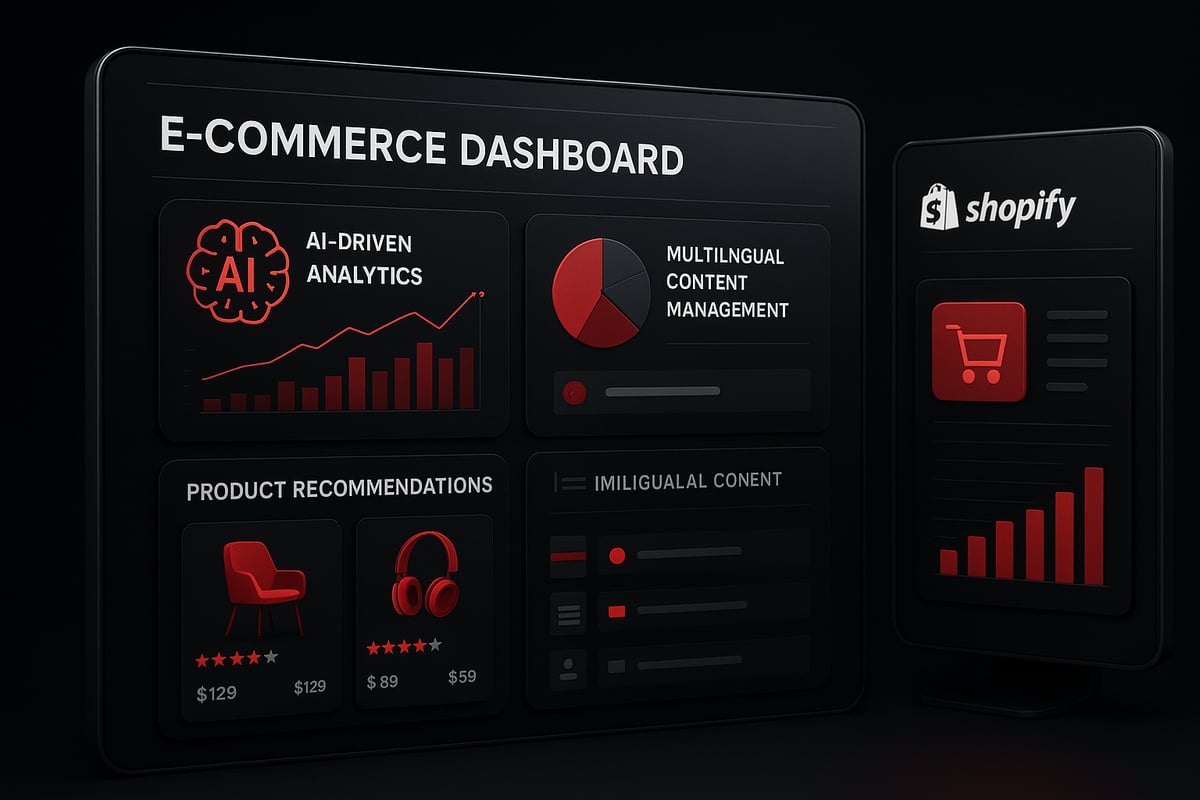
AI-Powered Content and Customisation
When you design shopify site experiences for 2026, AI becomes your creative partner. Shopify’s built-in AI can generate unique product descriptions, lifestyle images, and even FAQ content at the click of a button. This not only saves precious time but also helps you tailor your site to each customer segment.
With AI, you can personalise homepage banners, product recommendations, and email content based on browsing habits and purchase history. Imagine your store automatically switching to a customer’s local currency and language, thanks to AI-powered localisation. Data shows that AI-driven product recommendations can lift your revenue by up to 30 percent.
Here’s a quick comparison of AI features you can use today:
AI FeatureBenefitImage GenerationFaster, diverse product imagesAutomated DescriptionsConsistent, SEO-friendly copyFAQ CreationQuick support contentPersonalised SuggestionsHigher conversion ratesMultilingual SupportReach more global shoppers
Curious about what’s next? Learn more about cutting-edge trends like AI-driven personalisation and bold design systems in this Top Shopify Design Trends for 2025–2026 guide.
Integrating Essential Shopify Apps and Tools
To design shopify site solutions that truly stand out, the right apps and integrations are essential. Shopify’s ecosystem offers hundreds of tools to help you optimise every stage of the customer journey.
Must-have apps include Klaviyo Reviews for building trust, Shogun Page Builder for drag-and-drop design, and Rebuy Personalisation Engine for smart upsells. These tools work seamlessly with Shopify’s backend, streamlining order management, inventory tracking, and shipping.
Security and compliance are built in, with PCI, SSL, and GDPR features giving your customers peace of mind. Use the Shopify App Store to find apps for loyalty programmes, review automation, and advanced analytics.
Testing your apps regularly ensures your design shopify site experience remains smooth, fast, and engaging on every device. This approach helps you adapt quickly to new trends and customer needs.
Optimising for Sales, Performance, and SEO
Want to transform your design shopify site into a sales powerhouse? Let’s explore practical ways to boost conversions, speed, and visibility. Whether you’re just starting or looking to scale, these proven strategies will help your store shine in 2026 and beyond.
Conversion Rate Optimisation (CRO) Strategies
Conversion Rate Optimisation is the secret sauce for making your design shopify site work harder for you. Start by running A/B tests on layouts, call-to-action buttons, and product placements. Even small changes can reveal what truly resonates with your audience.
Dynamic product recommendations are a great way to engage shoppers. Try using personalised suggestions at key points, such as the product page or checkout. This can lift your average order value and encourage repeat business.
Persuasive landing pages matter too. Tools like PageFly and Shogun let you build focused pages for promotions, launches, or special events. Don’t forget to customise your checkout for a seamless, branded experience. Branded checkouts build trust and reduce cart abandonment, which is vital for any design shopify site.
Here’s a quick summary of top CRO tactics:
CRO TacticImpactTool/FeatureA/B TestingHigher conversionsShopify, Google Opt.Dynamic RecommendationsIncreased basket sizeShopify, RebuyCustom Landing PagesBetter campaign resultsPageFly, ShogunBranded CheckoutMore trust, fewer drop-offsShopify customisation
Shopify’s checkout is proven to convert better than many alternatives, giving your design shopify site a competitive edge. For a deeper dive, check out the Shopify Optimisation Guide for step-by-step tips and expert advice.
Performance, Analytics, and SEO Best Practices
Performance is more than just speed—it’s about delivering a flawless experience every time someone visits your design shopify site. Monitor your site’s load times and visual stability using Shopify’s built-in analytics. Even a one-second delay can reduce conversions by 7 percent, so every millisecond counts.
Use Shopify’s analytics to track sales, visitor behaviour, and popular products. This data helps you make informed decisions and spot areas for improvement. Don’t overlook SEO controls: update your meta tags, use descriptive alt text for images, and add structured data to improve your search rankings.
Blogging is a powerful tool for content marketing and organic growth. Shopify’s blogging features make it easy to share updates, stories, and product guides, all of which can drive traffic to your design shopify site.
Keep your store fresh by regularly updating products, checking for broken links, and maintaining security. These habits support long-term success and keep your site ranking high in search results.
Going Beyond: Advanced Customisation and Headless Shopify
Unlocking the full power to design shopify site means exploring advanced customisation and headless architecture. For brands aiming to stand out in 2026, these strategies offer total creative freedom, performance gains, and future scalability.
Full Code Control and Custom Theme Development
Advanced merchants looking to design shopify site beyond standard templates can harness Shopify’s Liquid language for true customisation. With full code control, you can build bespoke themes that reflect your unique brand, enhance conversion, and deliver a tailored experience.
Developers can customise nearly every aspect, including:
- Templates for product, collection, and landing pages
- Layouts and dynamic content blocks
- Navigation and interactive elements
For practical inspiration, the Design and Implementation of a Shopify Online Store case study demonstrates how thoughtful theme selection and coding drive real-world results. Using Shopify.dev resources, teams can rapidly prototype, iterate, and maintain high-performing custom sites. This approach ensures your design shopify site always stays ahead of trends and user expectations.
Headless Commerce with Shopify Storefront API
Headless commerce takes the flexibility of your design shopify site to a new level. By decoupling the frontend and backend, brands gain freedom to build unique experiences using any technology stack. Shopify’s Storefront API and Hydrogen framework empower teams to deliver lightning-fast, interactive storefronts tailored to their customers.
Here’s a quick comparison:
FeatureTraditional ShopifyHeadless ShopifyFrontend FlexibilityLimitedUnlimited (any stack)Performance OptimisationGoodExcellentOmnichannel IntegrationBasicAdvancedPersonalisationStandardHighly Customisable
Headless setups can significantly improve site speed and personalisation, making them ideal for ambitious brands looking to design shopify site for omnichannel and global growth.
Migrating to Shopify for Future Growth
If you’re coming from another platform, migrating to Shopify is a strategic move for future-ready commerce. The process involves careful planning to preserve data, SEO rankings, and customer experience while you design shopify site for long-term performance.
Steps for a successful migration:
- Export existing data (products, customers, orders)
- Set up your new Shopify store and import data
- Map URLs and implement redirects to preserve SEO
- Customise design shopify site to match your brand
- Test thoroughly before launch
Shopify’s migration tools and expert support make this transition smooth. For a comprehensive overview, see How to Build a Shopify Store, which covers advanced setup, customisation, and post-launch optimisation. Many brands report improved performance, better scalability, and higher sales after making the switch.
We’ve covered everything you need to design a Shopify site that’s ready to shine in 2026—from building a memorable brand identity to leveraging the newest AI tools and custom themes. If you’re feeling inspired and ready to turn your ideas into a high performing online shop, why not take the next step with us? At Futur Media, we love helping businesses like yours bring their vision to life with tailored Shopify solutions that truly stand out. Let’s work together to create something amazing for your brand. Ready to get started? Start Project



